Stackdust

See where the gigabytes went. Sweep the dust your stack leaves behind.

A macOS disk-space analyzer that knows dev junk when it sees it — DerivedData, node_modules, package caches, simulators — and only ever moves things to the Trash.

Download for macOS brew install stackdust
Free & open source · macOS 15+ · Apple silicon & Intel · GitHub

For CLI lovers and agents.

Claude, Codex, or a cron job — stackdust treats programs as first-class users: JSON everywhere, stable exit codes, never interactive, and a dry-run-by-default cleanup that physically cannot delete permanently.

 stackdust dev ~ --json
{"items": [
  {"path": "~/Library/Developer/Xcode/DerivedData", "category": "xcodeBuild", "risk": "safe", "bytes": 38214592512},
  {"path": "~/Library/Developer/CoreSimulator/Devices", "category": "simulators", "risk": "loses_state", "bytes": 21474836480},
  
], "total_bytes": 96636764160}

 stackdust clean ~ --category xcodeBuild,packageCache --min-size 1G --yes
Moved 14 items (61.3 GB) to the Trash.
safe — regenerates at build time costs_time — comes back on demand loses_state — asks a human first
A UI for humans.

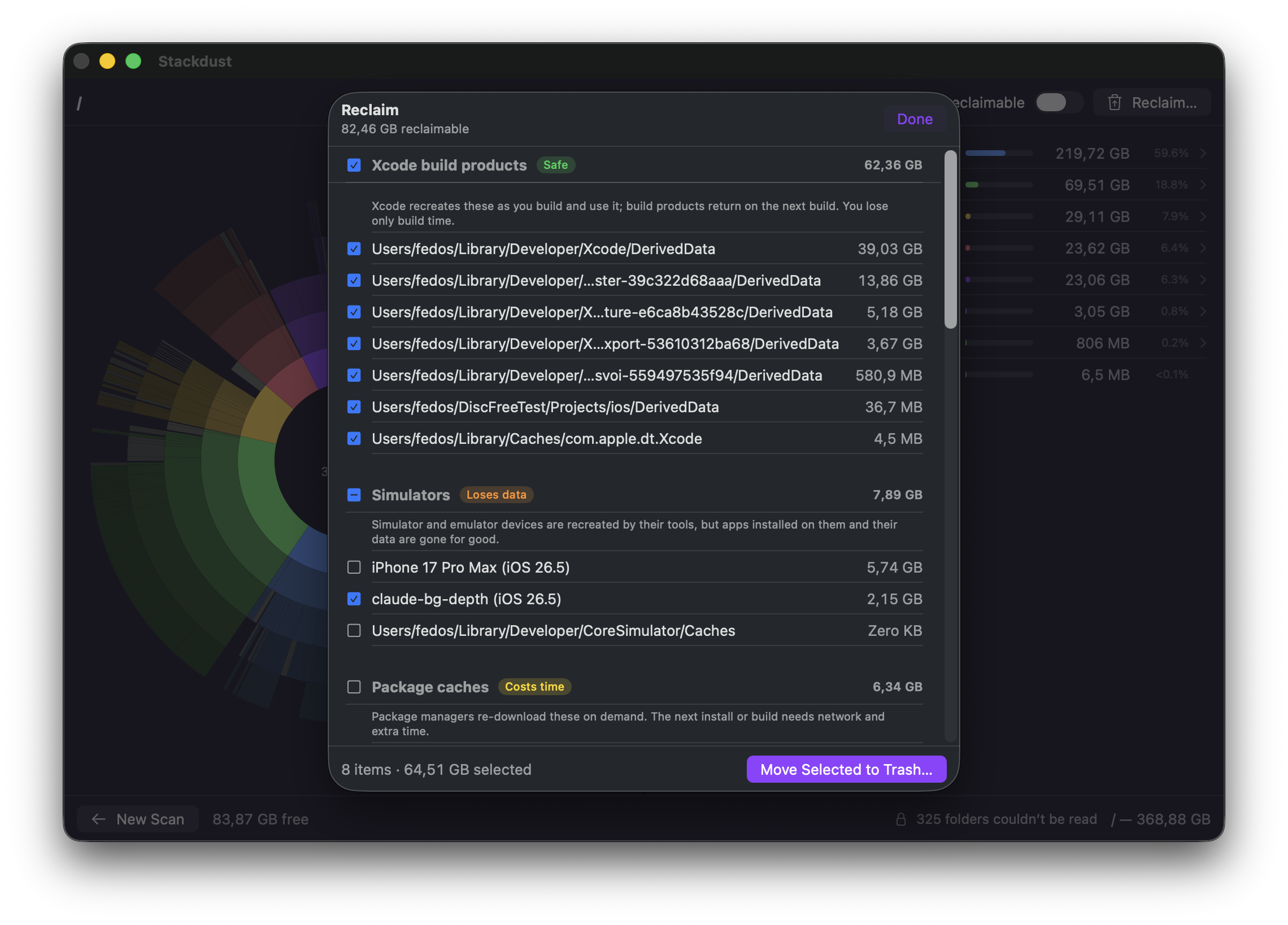
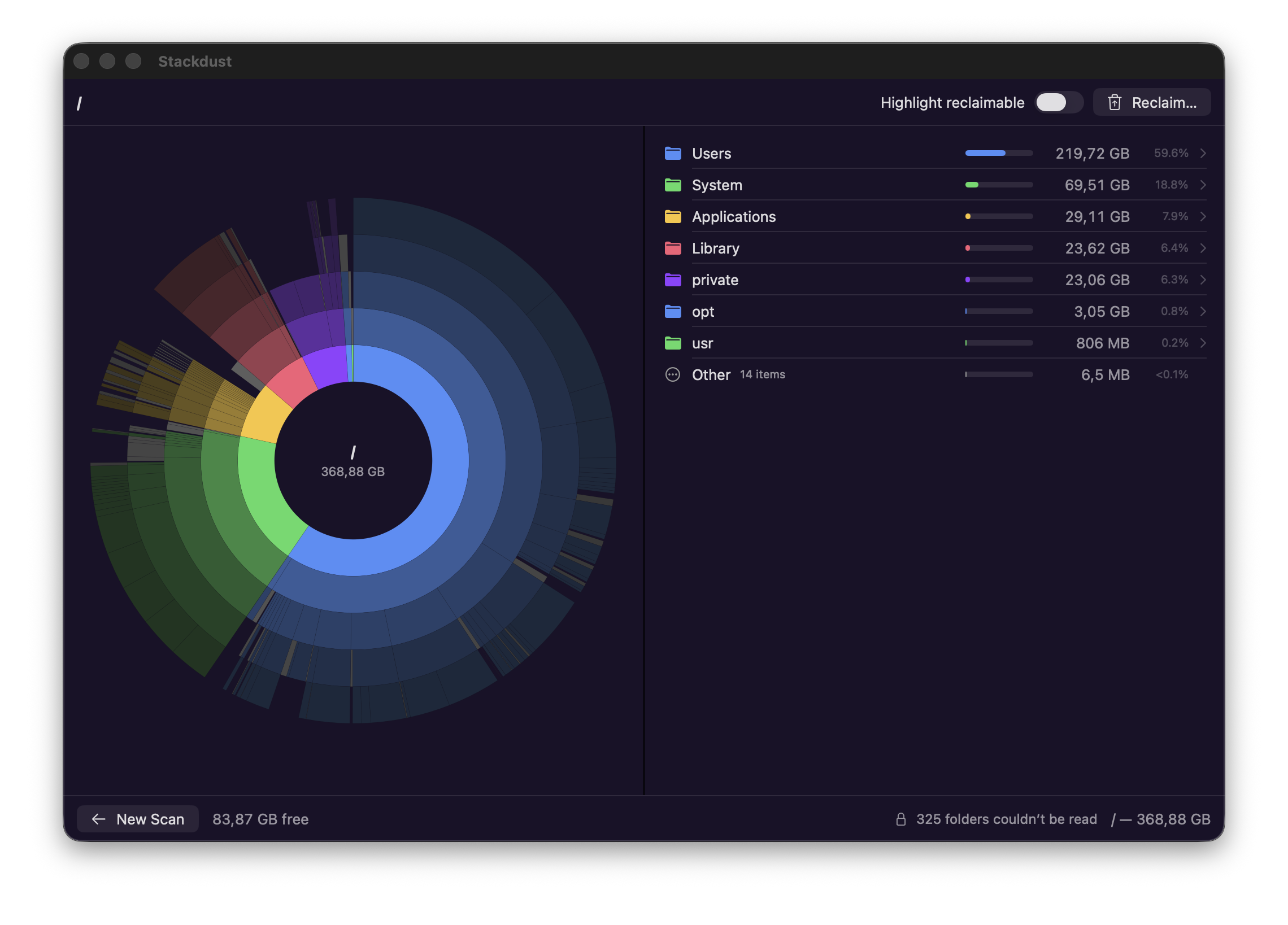
One scan draws your disk as a sunburst — every ring a directory level, every arc sized by what it actually takes on disk. The Reclaim pane groups dev junk by category and honest risk tier, and cleanup only ever means move to Trash.

Stackdust main window: sunburst chart of a disk with the contents panel
The sunburst: click to drill in, hover to inspect, highlight what's reclaimable.
Stackdust Reclaim pane: dev junk grouped by category with risk badges
Reclaim: caches, builds, and simulators grouped by category, each with its risk tier.
Install

Two ways in.

Homebrew recommended

brew tap thoughtf00l/tap
brew install --cask stackdust

Installs Stackdust.app to /Applications. Updates arrive in-app, or via brew upgrade --greedy. The stackdust CLI builds from source with swift build.

Direct download

Stackdust.dmg → drag to Applications

Stackdust isn't notarized with Apple yet, so the first launch needs a blessing: open System Settings → Privacy & Security and click Open Anyway. After that, updates arrive in-app.